RRS3 Waterproof S-Beam Load Cell rated to IP68: 100 kg (225 lb)
Highlights
Load Cell Capabilities
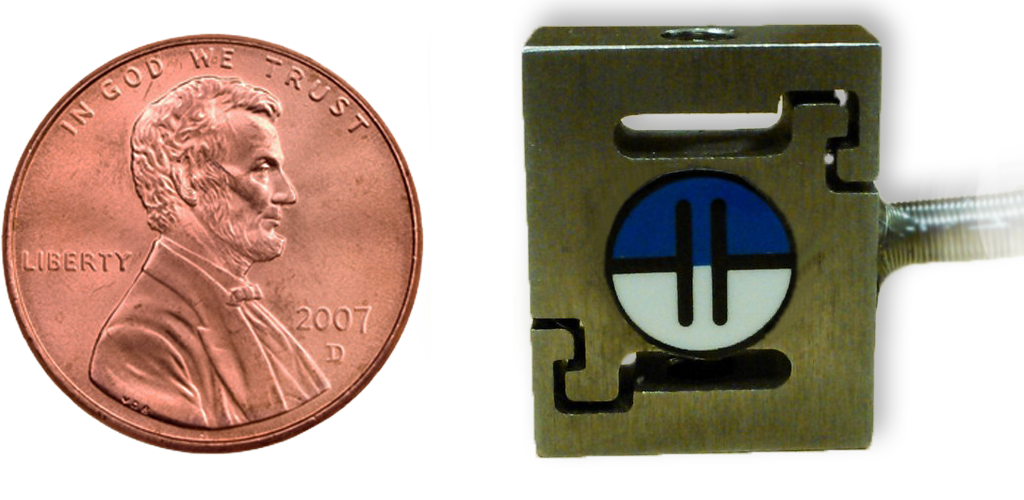
 Miniature S-Beam Load CellIf you are looking for smaller lower capacity load cells (5, 10 and 50 kg) please take a look at our RES2 S-Beam Jr. load cells.
If you need a S-Beam load cell for For-Trade applicatoins i.e. packaging products to be sold on the basis of weight, then you need an NTEP certified load cell. Check out our RRS1 NTEP Certified S-Beam Load Cell for your applicattion. |
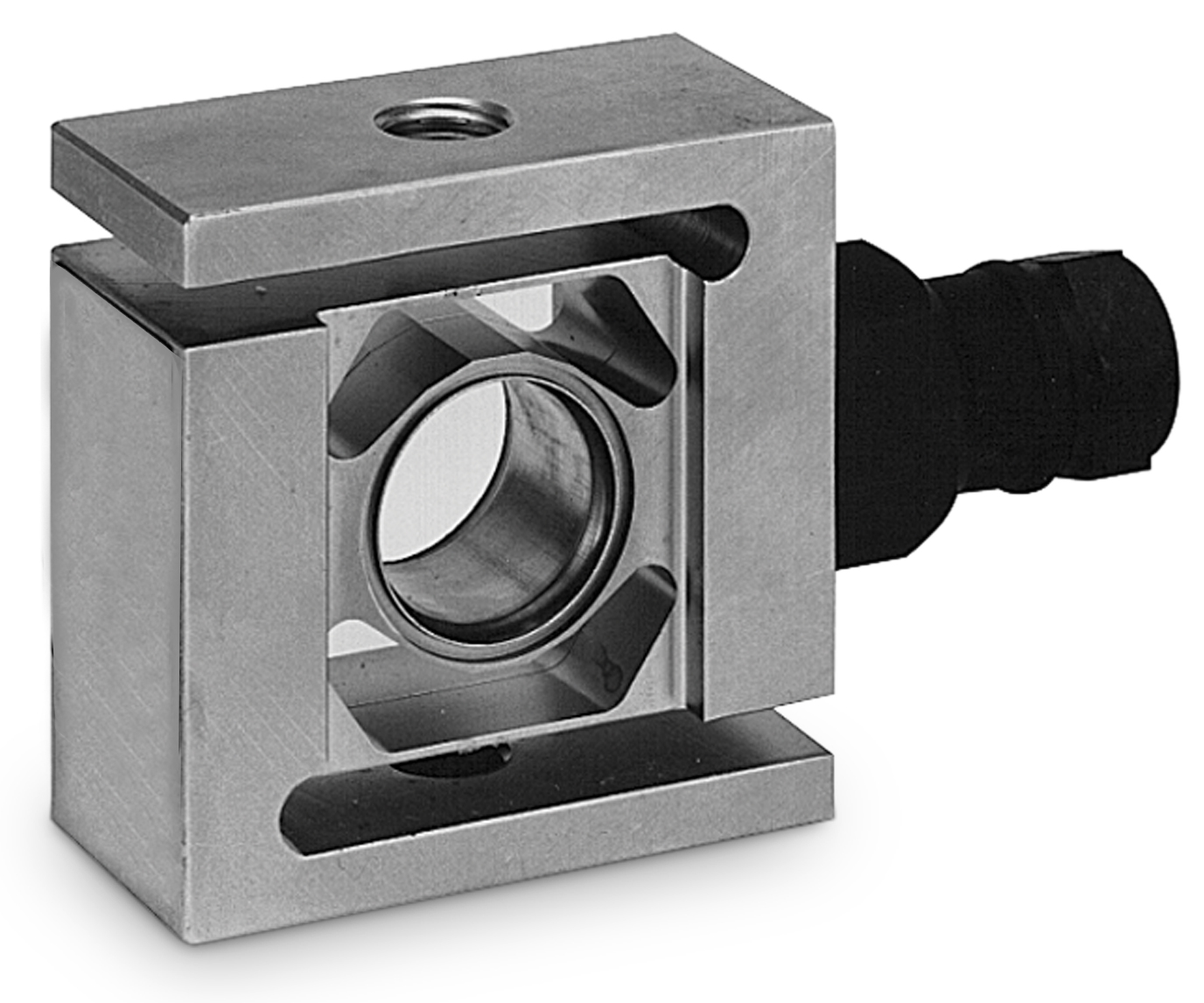
S-Beam load cells (or S beam Load cells, so named for their distinctive S shape,) are one of the most versatile load cells available in the market and offer the best solution for applications that need both tension and compression force measurement. They are most often found in applications such as cable strength testing, harness testing and rip strength of cords, ropes and wires. The RRS3 is made from tool steel and is available in capacities 225 lb and 1125 lb (100 kg and 500 kg). This load cell can be used in wet areas that require wash down or can occasionally be exposed to or submerged in water.
This load cell has very good accuracy, stability and easy mounting features especially for in-line tension testing applications where two threaded rod-ends or eye bolts can be easily attached to the threaded female holes on the two ends of the S-Beam load cell. If you are looking for a small high capacity S-beam load cell, please explore RRS4 S-beam load cell.
USB Load Cell Configuration 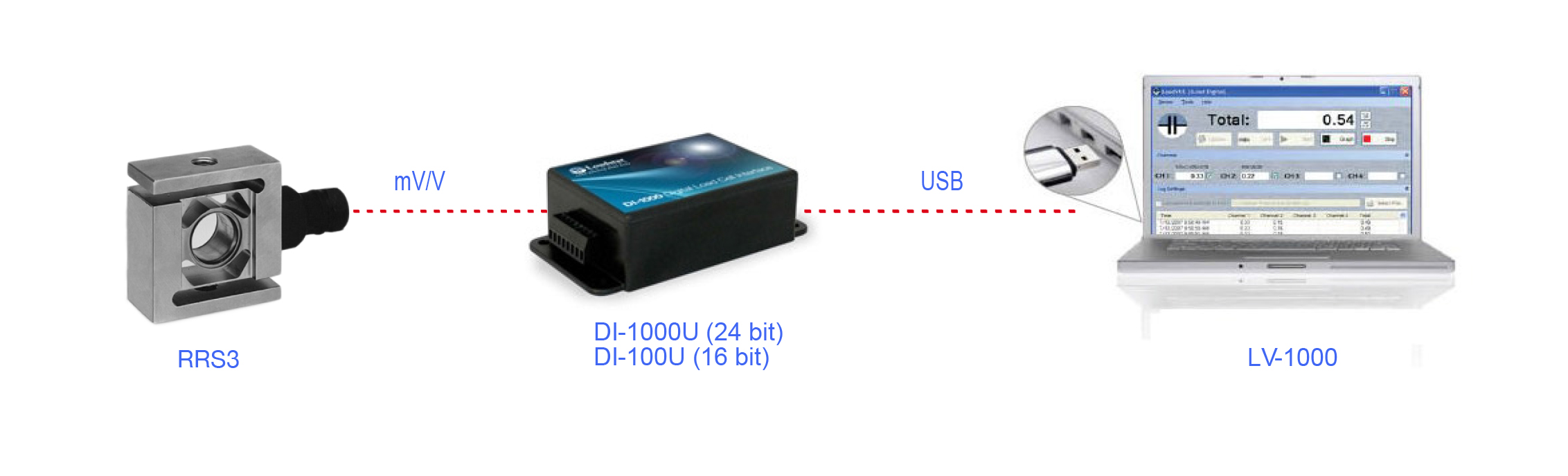
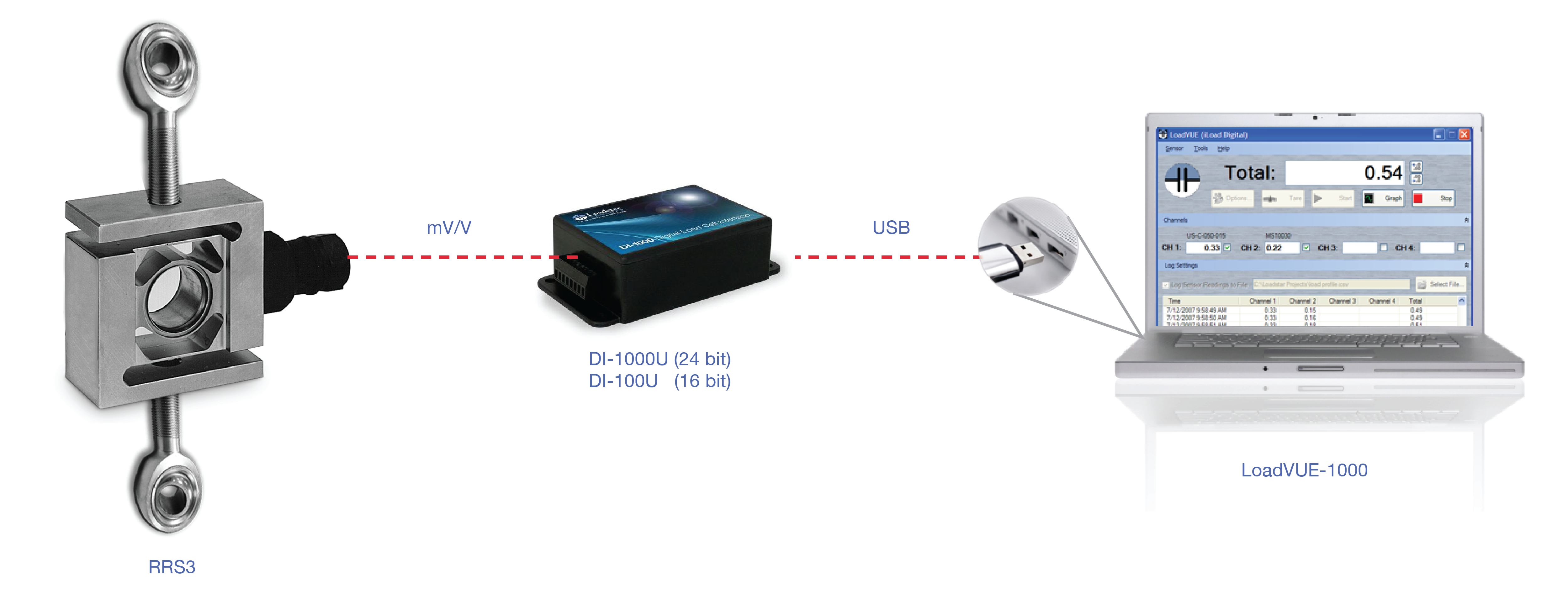
Simply connect the load cell to the DI-1000U Digital Load Cell Interface & use the USB out port on the DI-1000 to connect to a PC via the USB port. The DI-1000U is a signal conditioner and 24-bit digitizer and handles all the communications functions to talk with USB port of a PC. When connected this way, the load cell appears on the PC as a virtual COM port. Using a standard terminal emulator you can send commands to the sensor to display loads on screen. They can either be one at a time or in continuous operation mode. You can also use Matlab, LabView or other popular programs to communicate and get calibrated readings from the load cell. Alternatively, use our application (LoadVUE) to display, log or plot load measurements on a PC.
If you do not need the very high precision of the DI-1000U, you can use our DI-100U digital load cell interface with 16 bit ADCs and Serial TTL or USB output. The DI-100U is sufficient for accuracies of +/- 0.1% of full scale output. Or in other words if you need to measure +/- 1 lb accuracy over 1000 lb range or +/- 0.1 lb accuracy over 100 lb range, then the DI-100U is more than adequate for your application.
Wireless Load Cell Configuration 
You can use this load cell wirelessly by connecting it to our DI-1000ZP wireless load cell interface. This configuration allows you to wirelessly connect to a Windows/Unix/Mac computer. On a Windows platform, you can use our LV-1000 LoadVUE Pro software to display, log and plot force vs time data effortlessly.
USB Load Cell Kit with Tension Adapters
If you are going to use this load cell in tension, you might be interested in the following option.
Wireless USB Load Cell Kit with Tension Adapters
If you are going to use this load cell in tension, you might be interested in the following option.
Analog load cell configuration
Some users want a high level 0-5V analog DC output in order to work with existing data acquisition systems or PLCs. Ih that case, you can use this load cell with our AI-1000 Load Cell interface which provides an amplified 0.5 to 4.5V output proportional to the applied loads. We can provide the system together with calibration and the formula to convert from voltage to loads/forces when ordered in this configuration.
Four-Sensor USB Kit
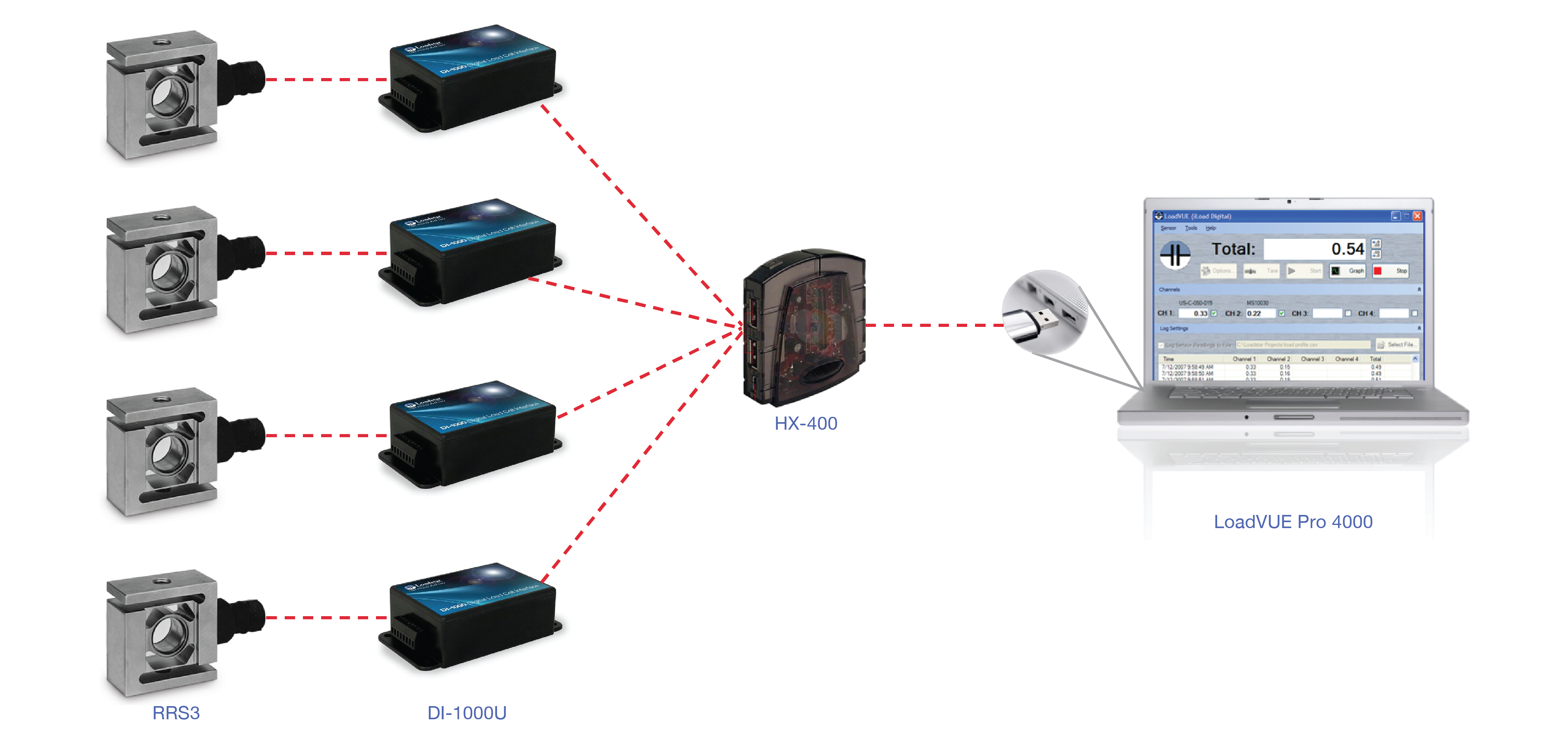
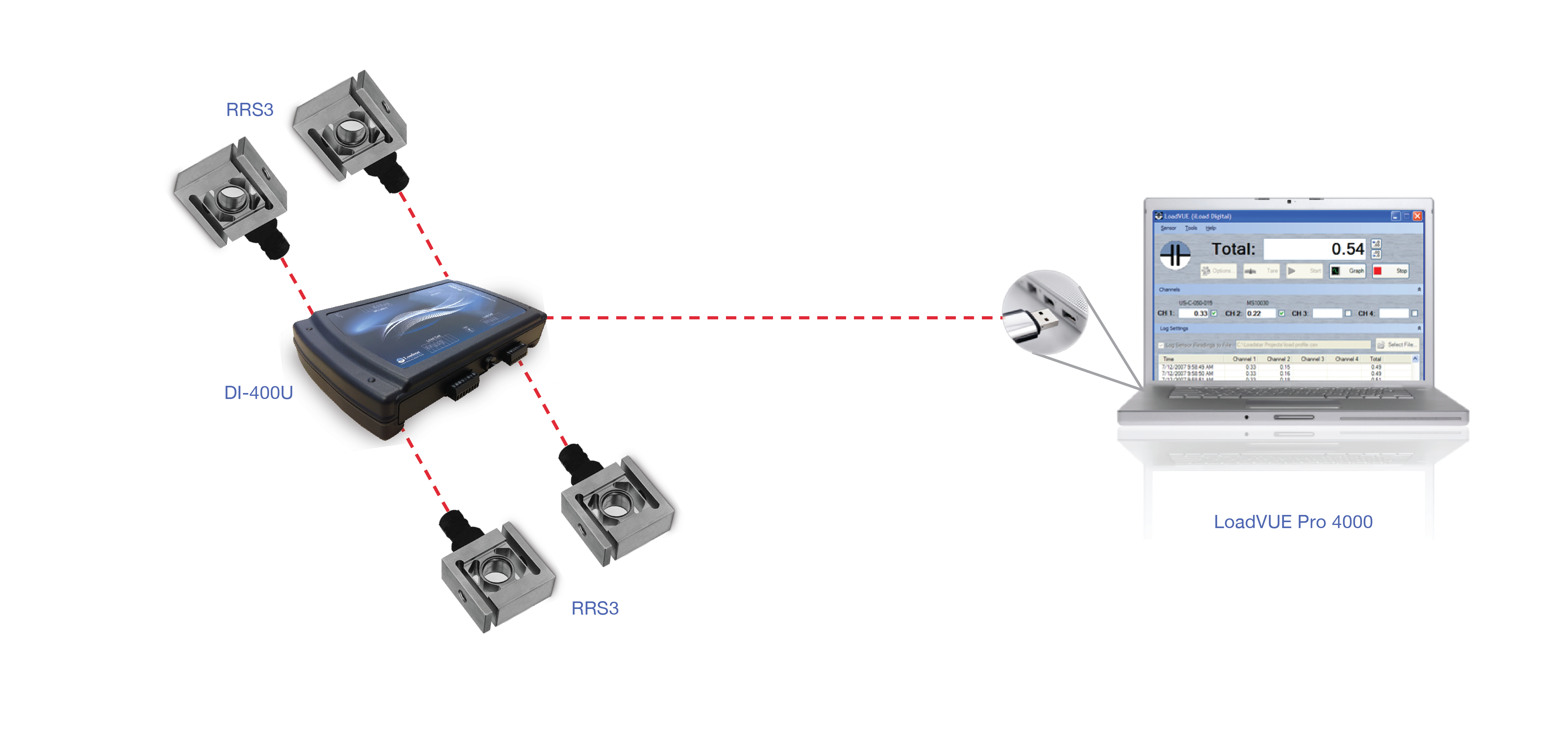
If you are looking to build a weighing platform, you can purchase this kit which includes all items you would need:
Four-Sensor USB Kit (16 bit)
A lower priced version of the above 4 sensor kit is also available with a DI-400U 4 channel USB load cell interface
Application Development
If you are looking to develop your own custom software application, our digital USB load cells and wireless load cell interfaces offer convenient ASCII commands to obtain load information directly from the interfaces/load cells without need for any signal conditioning or data processing. With just a few commands you'll be able to incorporate load/force/weight information into your application. You can also use Visual Basic, Visual C++, Matlab, LABView or any other application development environment to create your custom applications with our interface/load cells.
See our support pages for details.
You can access Sample Code for Visual Basic, Matlab, Python, Arduino and customize it for your own needs. |